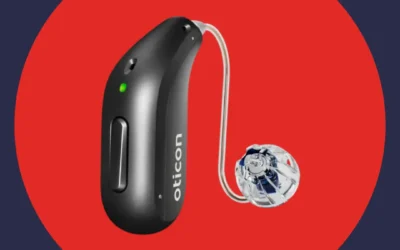
Technology keeps making daily life more manageable. Virtual assistants like Siri, Alexa, and Google Assistant now offer powerful tools for people with hearing challenges. These AI-powered helpers can bridge communication gaps and simplify everyday tasks.
Let’s explore how virtual assistants work and the specific ways they support individuals with hearing loss.
Understanding Virtual Assistants and How They Work
Virtual assistants use artificial intelligence to respond to voice commands. They handle tasks like sending messages, setting reminders, and searching online. The three most popular options include Siri from Apple, Alexa from Amazon, and Google Assistant.
These tools make hands-free technology use possible. For those with hearing challenges, this accessibility creates new opportunities. Modern virtual assistants can convert speech to text instantly. They can control smart home devices without requiring audio feedback. They can even stream information directly to compatible hearing aids.
The technology continues advancing rapidly. Many virtual assistants now offer visual interfaces on smart displays. Others provide haptic feedback through connected devices. Some integrate seamlessly with hearing aids for direct audio streaming.
Key Ways Virtual Assistants Support People with Hearing Loss
Virtual assistants offer multiple features that enhance daily life for those with hearing challenges. They help overcome communication barriers, simplify routine activities, and improve access to important information. These tools provide both practical solutions and greater independence.
Making Communication Clearer and Easier
Communication presents unique challenges when you have hearing loss. Virtual assistants provide several solutions that help bridge these gaps.

Voice-to-text transcription converts spoken words into written text in real time. This feature makes following phone conversations much easier. It also helps during video meetings and in-person discussions. You can read what others say without straining to hear every word.
Text-based communication offers another valuable option. Instead of making traditional phone calls, you can ask your virtual assistant to send texts or emails. This approach reduces reliance on hearing. It ensures your messages come across clearly every time.
Hands-free voice commands simplify device control. Say “Call Sarah” or “Send a message to Tom” without touching your phone. You don’t need to hear confirmation beeps or audio feedback. Visual confirmations on your screen show that commands worked correctly.
These communication tools reduce frustration and isolation. They help you stay connected with family, friends, and colleagues. They make everyday conversations more accessible and less stressful.
Customizing Accessibility Settings for Your Needs
Accessibility features become more important when managing hearing challenges. Virtual assistants help you adjust settings quickly and easily.
Volume control adjustments happen through simple voice commands. Ask your assistant to increase TV volume or adjust your phone’s ringer. You can make these changes without searching through menus or pressing tiny buttons.
Enabling subtitles and captions takes just one voice command. Your virtual assistant can activate captions on streaming services instantly. This feature helps you follow movies, shows, and videos without missing dialogue. You get text versions of all spoken content automatically.
Noise reduction support enhances audio clarity. Some virtual assistants activate noise cancellation features on compatible devices. This capability reduces background sounds and makes important audio easier to follow. It helps you focus on conversations and content that matter.
Visual notification options replace audio alerts. Set up your virtual assistant to display incoming calls, messages, and reminders on your screen. You’ll never miss important notifications because you didn’t hear them. These visual cues keep you informed throughout the day.
Learn more about tips for communicating if you have hearing loss.
Managing Daily Tasks and Staying Organized
Virtual assistants act as personal organizers for your busy life. They help manage schedules, track important items, and keep you on top of responsibilities.
Setting reminders and alarms happens through voice commands. Say “Remind me to take my medication at 8 AM” or “Set an alarm for my appointment.” Your assistant handles the rest. Reminders can send alerts to your phone, hearing aids, or other connected devices.
Creating shopping lists and to-do lists takes seconds. Add items by speaking them aloud instead of typing. Say “Add bananas to my grocery list” while cooking. Your assistant updates the list immediately. You can access these lists later from any device.
Getting quick information helps with daily planning. Ask about weather forecasts, traffic conditions, or local news. Your virtual assistant provides answers instantly. This immediate access reduces stress and helps you plan your day effectively.
Calendar management becomes effortless with voice control. Add appointments, check your schedule, and set event reminders without typing. Your assistant can also read your daily agenda each morning. This overview helps you prepare for what’s ahead.
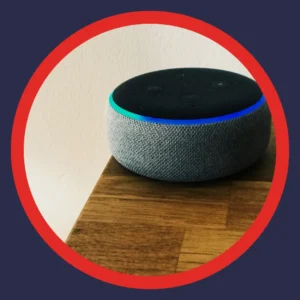
Controlling Your Smart Home Environment
Virtual assistants excel at home automation. They make controlling your living space easier and more accessible for those with hearing challenges.
Smart device control responds to voice commands. Turn lights on or off without flipping switches. Adjust your thermostat temperature by speaking. Control appliances, locks, and other connected devices hands-free. These features eliminate the need for audio feedback from devices.
Custom routines simplify multiple tasks at once. Program your assistant to perform several actions with one command. Say “Good morning” to have your assistant open blinds, start coffee, and read your schedule. Evening routines can dim lights, lock doors, and set your alarm system.
Doorbell and security alerts connect to your devices. Video doorbells send notifications to your phone or hearing aids. You see who’s at the door even if you don’t hear the bell. Security cameras can alert you to motion or unusual activity. These visual alerts enhance your home safety.
Smart speaker placement throughout your home extends voice control everywhere. Place speakers in key rooms to access your assistant from anywhere. This setup ensures you can control devices without walking to find a control panel.
Understanding hearing loss and safety helps you create a more secure environment.
Connecting Virtual Assistants with Your Hearing Aids
Modern hearing aids integrate directly with virtual assistants. This connection creates a seamless audio experience that enhances both technologies.
Direct audio streaming delivers sound straight to your ears. When connected to your smartphone, your virtual assistant’s voice streams to your hearing aids. This direct connection provides clear audio without background interference. Phone calls, navigation directions, and music all stream with excellent clarity.
Hands-free hearing aid control simplifies adjustments. Use voice commands to change volume levels or switch listening programs. Check battery status without touching your devices. Some hearing aids let you adjust directional microphones through voice control. These features eliminate the need for manual adjustments throughout the day.
Voice navigation provides turn-by-turn directions through your hearing aids. Get driving directions streamed directly to your ears. Keep your hands on the wheel and eyes on the road. The audio comes through clearly without competing with road noise.
Discover more about what you need to know about Bluetooth hearing aids.
Comparing Popular Virtual Assistant Options
Different virtual assistants offer varying features for those with hearing loss. Understanding these differences helps you choose the right option for your needs.
|
Feature |
Siri (Apple) |
Alexa (Amazon) |
Google Assistant |
|
Voice-to-text accuracy |
Excellent with Apple devices |
Very good, improving constantly |
Excellent, uses advanced AI |
|
Smart home compatibility |
Works with HomeKit devices |
Widest smart home support |
Strong compatibility across brands |
|
Hearing aid integration |
Seamless with Made for iPhone hearing aids |
Compatible with some models via Bluetooth |
Works with Android-compatible hearing aids |
|
Visual interface options |
iPhone, iPad, Mac screens |
Echo Show, Fire tablets |
Nest Hub, Android devices |
|
Captioning features |
Built into Apple devices |
Available on video-enabled devices |
Live Transcribe, strong captioning |
|
Offline functionality |
Limited features work offline |
Requires internet connection |
Some features work offline |
|
Voice customization |
Accent and language options |
Multiple voice choices |
Natural-sounding voice options |
|
Learning capability |
Improves with use |
Adapts to routines and preferences |
Strong AI learning and personalization |
Each virtual assistant has strengths for different users. Siri works best within Apple’s ecosystem. Alexa offers the most smart home device compatibility. Google Assistant provides excellent voice recognition and transcription accuracy.
Your choice depends on your existing devices and specific needs. Consider which smartphones, tablets, and smart home products you already own. Think about which features matter most for your daily routine.
Advanced Features That Enhance Independence
Virtual assistants continue evolving with new capabilities. These advanced features provide even more support for those with hearing challenges.
Real-Time Language Translation Services
AI-powered translation breaks down language barriers. Modern virtual assistants can translate conversations instantly. Some hearing aids now stream these translations directly to your ears.
This technology helps in several situations. Travel becomes easier when you can communicate across languages. Medical appointments with non-English-speaking doctors become more accessible. Business meetings with international colleagues run more smoothly.
The translation accuracy keeps improving. Virtual assistants learn from millions of conversations. They handle context better than basic translation apps. They recognize regional accents and colloquialisms more effectively.
Health Monitoring and Wellness Tracking
Many modern hearing aids now track health data. They monitor heart rate, physical activity, and even cognitive engagement. Virtual assistants can use this information to provide personalized reminders and insights.
Your assistant might remind you to take a walking break. It could suggest adjusting your activity level based on health goals. Some systems alert emergency contacts if unusual patterns appear. These features add wellness benefits beyond basic hearing support.
Fall detection capabilities enhance safety further. Advanced hearing aid models include motion sensors that detect falls. When a fall occurs, the system can automatically contact emergency services. Your virtual assistant coordinates this response without requiring you to make a call.
Find out how hearing loss may affect your job and how technology helps.
Specialized Apps That Work with Virtual Assistants
Several apps enhance virtual assistant capabilities for hearing loss. These specialized tools provide additional support and functionality.
Captioning apps like Ava and Google Live Transcribe offer real-time transcription. They convert spoken conversations into readable text instantly. These apps work alongside your virtual assistant to provide comprehensive communication support. According to research, these tools significantly improve daily communication access.
Hearing aid companion apps connect with virtual assistants seamlessly. Most major hearing aid manufacturers offer smartphone apps. These apps let you adjust settings, troubleshoot issues, and customize programs. You can control these apps using voice commands through your virtual assistant.
Remote interpreting services provide professional ASL interpretation. Services like Aira connect you with interpreters via video. Your virtual assistant can initiate these connections through voice commands. This accessibility helps during important meetings, medical appointments, and legal consultations.
Avatar-based sign language apps offer another option. Apps like HEAR ME use AI to provide sign language interpretation. These tools work for video calls and face-to-face conversations. They integrate with virtual assistants for hands-free activation.
Setting Up Your Virtual Assistant for Maximum Benefit
Getting the most from your virtual assistant requires some initial setup. These steps ensure optimal performance for your hearing needs.
Configuring Visual and Haptic Feedback
Audio alerts don’t work well for everyone with hearing loss. Configure your virtual assistant to use visual and haptic feedback instead.
Enable visual notifications on all connected devices. Set your smartphone to flash the screen for incoming calls. Configure your smart display to show alert messages prominently. Add LED indicators to smart home devices that need your attention.
Turn on haptic feedback for your smartphone and smartwatch. These vibrations alert you to messages, calls, and reminders. Adjust vibration patterns to distinguish between different alert types. Strong haptic feedback ensures you never miss important notifications.
Test your notification settings regularly. Send yourself test messages to verify alerts work correctly. Ask family members to call you to check phone alerts. Make sure emergency alerts use both visual and haptic feedback.
Optimizing Voice Recognition and Command Accuracy
Virtual assistants work better when they understand you clearly. Improve recognition accuracy through proper setup and training.
Train your virtual assistant to recognize your voice. Most assistants offer voice training during initial setup. This process helps the AI learn your speech patterns. It improves accuracy for commands and questions. Some assistants let multiple household members train their own voice profiles.
Speak clearly but naturally when giving commands. You don’t need to speak slowly or loudly. Use normal conversation tone and pace. The assistant will understand you better this way. According to research, design improvements continue enhancing accessibility for users with hearing loss.
Practice common commands you’ll use frequently. Repeat them several times during setup. This repetition helps the assistant learn your pronunciation. It reduces errors when you use these commands later.
Update your assistant’s software regularly. Manufacturers constantly improve voice recognition algorithms. Updates often enhance accuracy and add new features. Enable automatic updates to get improvements as soon as they’re available.
Creating Custom Routines for Daily Activities
Routines streamline multiple tasks into single commands. They save time and reduce the need for multiple interactions.
Morning routines can start your day smoothly. Create a routine that reads your schedule, provides weather updates, and turns on lights. One “Good morning” command triggers everything automatically. You can include reminders for medications or appointments.
Evening routines help you wind down. Program your assistant to lock doors, adjust thermostats, and dim lights. Add a reminder to charge your hearing aids overnight. Include a weather forecast for the next day.
Work routines boost productivity during the day. Set up commands that adjust your home office environment. One phrase can close blinds, adjust lighting, and activate focus mode on devices. This setup helps you concentrate without distractions.
Emergency routines provide quick access to help. Create a command that calls emergency contacts and turns on all lights. Program it to unlock doors for first responders. These preparations can prove critical during urgent situations.
Integrating with Your Hearing Aid Technology
Connecting your hearing aids to virtual assistants unlocks powerful features. This integration requires some initial configuration but delivers significant benefits.
Check your hearing aid’s compatibility first. Most modern hearing aids support Bluetooth connectivity. Consult your hearing care provider about specific integration capabilities. Some models offer deeper integration than others with certain virtual assistants.
Download your hearing aid manufacturer’s app. These companion apps manage the connection between your hearing aids and virtual assistants. They also provide additional control options and customization settings. Most apps work with both iOS and Android devices.
Pair your hearing aids following manufacturer instructions. The process usually takes just a few minutes. Test audio streaming after pairing to ensure clear sound. Adjust volume levels and audio quality settings as needed.
Enable direct audio streaming for all assistant responses. Configure your system to route assistant audio through your hearing aids automatically. This setting ensures you hear responses clearly without background noise. Test it with various types of content like music, calls, and navigation.
Learn more about how hearing aids work and their modern capabilities.
Overcoming Common Challenges and Limitations
Virtual assistants offer tremendous benefits but come with some challenges. Understanding these limitations helps you work around them effectively.
Privacy and Security Considerations
Virtual assistants listen for wake words constantly. This feature raises privacy questions for some users. Understanding how data gets used helps you make informed decisions.
Most virtual assistants allow you to review and delete voice recordings. Check your assistant’s privacy settings regularly. Delete old recordings you no longer need. Disable features you don’t use to reduce data collection.
Secure your accounts with strong passwords and two-factor authentication. This protection prevents unauthorized access to your virtual assistant. It keeps your personal information and smart home controls safe. Update passwords regularly for better security.
Be mindful of sensitive conversations. Mute your virtual assistant when discussing private matters. Most devices include physical mute buttons for this purpose. Remember that muting stops the assistant from responding to commands temporarily.
Handling Noisy Environments and Background Sound
Background noise can interfere with voice recognition. Virtual assistants sometimes struggle in loud environments. Several strategies help overcome this challenge.
Position smart speakers away from noise sources. Place them away from TVs, appliances, and high-traffic areas. This placement improves microphone clarity. It helps your assistant hear commands more accurately.
Use your smartphone or smartwatch in noisy settings. These devices stay closer to your mouth when you speak. They pick up your voice better than distant speakers. They also provide visual confirmation that commands registered correctly.
Enable noise cancellation features when available. Some virtual assistants offer enhanced voice recognition for noisy environments. These settings filter background sound more aggressively. They help the assistant focus on your voice.
Consider using push-to-talk features in extremely loud places. Hold a button while speaking to activate the assistant. This approach prevents the assistant from activating accidentally. It ensures your commands get heard clearly.

Managing Multiple Connected Devices
Many households have numerous smart devices connected to virtual assistants. Managing these connections can become complex without good organization.
Name devices clearly and logically. Use simple names that distinguish similar items. Instead of “Light 1” and “Light 2,” use “Bedroom Light” and “Kitchen Light.” Clear naming prevents confusion when giving voice commands.
Group devices by room or function. Most virtual assistant apps allow device grouping. Create groups like “Living Room” or “Upstairs Lights.” You can then control multiple devices with single commands. Say “Turn off the living room” to control all grouped devices.
Update device firmware regularly. Manufacturers release updates that improve performance and security. Enable automatic updates when possible. Check manually for updates on devices without automatic features.
Remove or disable devices you no longer use. Old connections can cause confusion and slow system response. Clean up your device list periodically. This maintenance keeps your system running smoothly.
The Future of Virtual Assistants and Hearing Technology
Technology advances rapidly in both virtual assistants and hearing aids. Understanding emerging trends helps you prepare for future capabilities.
Artificial Intelligence and Machine Learning Improvements
AI continues getting smarter and more capable. Future virtual assistants will understand context better. They’ll predict your needs before you ask. They’ll adapt to your preferences automatically over time.
Machine learning enhances voice recognition accuracy constantly. Systems learn from millions of users simultaneously. They handle accents, speech patterns, and background noise more effectively. Recognition errors become increasingly rare with each update.
Natural language processing keeps improving. Virtual assistants understand complex questions better. They handle follow-up questions without needing full context repeated. Conversations feel more natural and less robotic.
Personalization becomes more sophisticated with AI advances. Assistants learn your routines and preferences deeply. They offer proactive suggestions based on your patterns. They anticipate needs before you voice them.
Enhanced Hearing Aid and Assistant Integration
Hearing aid manufacturers continue improving virtual assistant integration. Future devices will offer even tighter connections and more features.
Direct assistant activation through hearing aids may become standard. Tap your hearing aid to activate your virtual assistant. Give commands without reaching for your phone. Responses stream directly to your ears automatically.
Advanced audio processing will enhance streamed content. Hearing aids will apply your personal hearing profile to assistant audio. Music, calls, and navigation will sound clearer and more natural. Background noise suppression will work seamlessly across all audio sources.
Biometric data sharing between devices will expand. Hearing aids will share health metrics with your assistant. Your assistant will provide wellness insights based on this data. Emergency responses will become more coordinated and effective.
Expanded Accessibility Features Across Platforms
Technology companies increasingly prioritize accessibility. Future virtual assistants will offer more features specifically designed for hearing loss.
Visual interfaces will become more comprehensive and informative. Smart displays will show detailed captions and contextual information. They’ll provide visual feedback for all interactions. Complex information will be presented through charts, graphs, and images.
Haptic feedback will grow more sophisticated and nuanced. Different vibration patterns will convey different types of information. You’ll distinguish between alerts without checking your screen. Haptic responses will confirm commands more clearly.
Cross-platform compatibility will improve significantly. Virtual assistants will work seamlessly across all your devices. Settings will sync automatically. Your preferences will follow you everywhere. The experience will feel consistent regardless of which device you use.
Why American Hearing + Audiology Is Your Partner in Better Hearing
Modern hearing technology offers incredible capabilities when paired with virtual assistants. American Hearing + Audiology helps you access these advanced features through comprehensive hearing care.
We offer hearing aids from leading manufacturers including Phonak, ReSound, Starkey, and Oticon. Many of these models integrate seamlessly with popular virtual assistants. Our hearing care providers help you choose technology that matches your lifestyle and needs.
Our team includes experienced professionals with 250 combined years of expertise. We serve communities across Kansas City, Lincoln, Omaha, Little Rock, Memphis, and Tulsa. We operate 19 locations throughout these areas, making expert care accessible and convenient.
We understand that affordability matters. We work with most insurance plans and help verify your benefits. We offer solutions for every budget because everyone deserves better hearing. Remote care options provide ongoing support without requiring frequent office visits.
Our comprehensive approach includes detailed evaluations and precision fittings. We take time to understand your hearing challenges and daily needs. We customize solutions that work specifically for you. We provide training on all features including virtual assistant integration.
Many modern hearing aids we offer include Bluetooth connectivity as standard. This feature enables seamless pairing with your smartphone and virtual assistant. You’ll enjoy direct audio streaming, hands-free calls, and voice-controlled adjustments. We help you set up and optimize these connections during your appointment.
We’re locally owned and operated, not part of a large corporate chain. This independence lets us focus entirely on your needs. We build long-term relationships with every person we serve. We’re invested in your community and your hearing health.
Ready to hear better with confidence? Talk with a hearing care provider who listens. Find a clinic near you and schedule your comprehensive hearing evaluation today. Discover how modern hearing aids with virtual assistant integration can enhance your daily life.
Your Virtual Assistant and Hearing Loss Questions Answered
How do virtual assistants help people with hearing loss communicate better?
Virtual assistants provide voice-to-text transcription for phone calls and conversations. They enable text-based communication through messages and emails. They offer hands-free voice commands for device control. These features reduce reliance on hearing alone for daily communication.
Can virtual assistants connect directly to hearing aids?
Yes, many modern hearing aids connect to virtual assistants via Bluetooth. This connection enables direct audio streaming to your hearing aids. You can control hearing aid settings through voice commands. You receive navigation directions and phone calls directly through your hearing aids.
Which virtual assistant works best for hearing loss?
The best choice depends on your existing devices and needs. Siri integrates seamlessly with Apple devices and Made for iPhone hearing aids. Alexa offers the widest smart home compatibility. Google Assistant provides excellent transcription and captioning features. Consider your current technology ecosystem when choosing.
Do I need internet connection for virtual assistant features?
Most virtual assistant features require internet connectivity. Some basic functions work offline with limited capability. Voice-to-text transcription, smart home control, and information searches need active internet. Ensure reliable home internet and mobile data for full functionality.
How do virtual assistants improve home safety for people with hearing loss?
Virtual assistants send visual alerts for doorbells, smoke alarms, and security systems. They can stream these alerts to your smartphone or hearing aids. They provide video doorbell access so you see visitors. They enable voice control of locks and security devices. Emergency routines can contact help quickly when needed.
Are virtual assistants difficult to learn for older adults?
Virtual assistants are designed for ease of use. Simple voice commands require no technical expertise. Most people learn basic functions within a few days. Family members and hearing care providers can help with initial setup. The technology becomes more intuitive with regular use.
Can virtual assistants help with bilateral hearing loss?
Yes, virtual assistants offer valuable support for bilateral hearing loss. Direct audio streaming works with both hearing aids simultaneously. Visual alerts and captions don’t require hearing at all. Voice commands reduce need for audio feedback from devices. These features work regardless of hearing loss severity.
What privacy concerns exist with virtual assistants?
Virtual assistants listen for wake words constantly. Voice recordings may be stored and analyzed. Most systems let you review and delete recordings. Strong passwords and two-factor authentication improve security. Mute buttons provide privacy during sensitive conversations. Check privacy settings regularly and adjust as needed.
How much do hearing aids with virtual assistant integration cost?
Hearing aid prices vary based on technology level and features. Bluetooth-enabled models start at several thousand dollars per pair. Insurance may cover part of the cost. American Hearing + Audiology works with most insurance plans. We offer solutions for various budgets. Schedule a consultation to discuss specific pricing and insurance benefits.
Can virtual assistants replace hearing aids?
No, virtual assistants complement hearing aids but don’t replace them. Virtual assistants provide communication tools and device control. Hearing aids amplify and process sound specifically for your hearing loss. The combination of both technologies provides maximum benefit. Together they enhance communication, safety, and independence more than either alone.
Explore compelling reasons to rethink hearing aids and discover modern capabilities.